


Nexvio Forms + Less Annoying CRM
Automatically turn form submissions into CRM contacts with detailed notes. No manual data entry required.
Get StartedPowerful Features for Your Less Annoying CRM Integration
Form submission
Auto-Create Contacts
Automatically create or update CRM contacts from form submissions without manual data entry.
- Automatically create or update CRM contacts from form submissions without manual data entry.
- Each form submission is added as a timestamped note in the contact record with all form details.
- Existing contacts are updated instead of creating duplicates, keeping your CRM clean.
Contact: John Smith
Note added · 2 min ago
Form: Contact Form — Name: John Smith, Email: [email protected], Message: Interested in your services...
Detailed Notes
Each form submission is added as a timestamped note in the contact record with all form details.
- Form data syncs instantly to your CRM the moment a visitor submits your form.
- Each form submission is added as a timestamped note in the contact record with all form details.
- 50 languages
See How It Works
Watch the integration in action
Watch how the integration works in action
Setup Screenshots
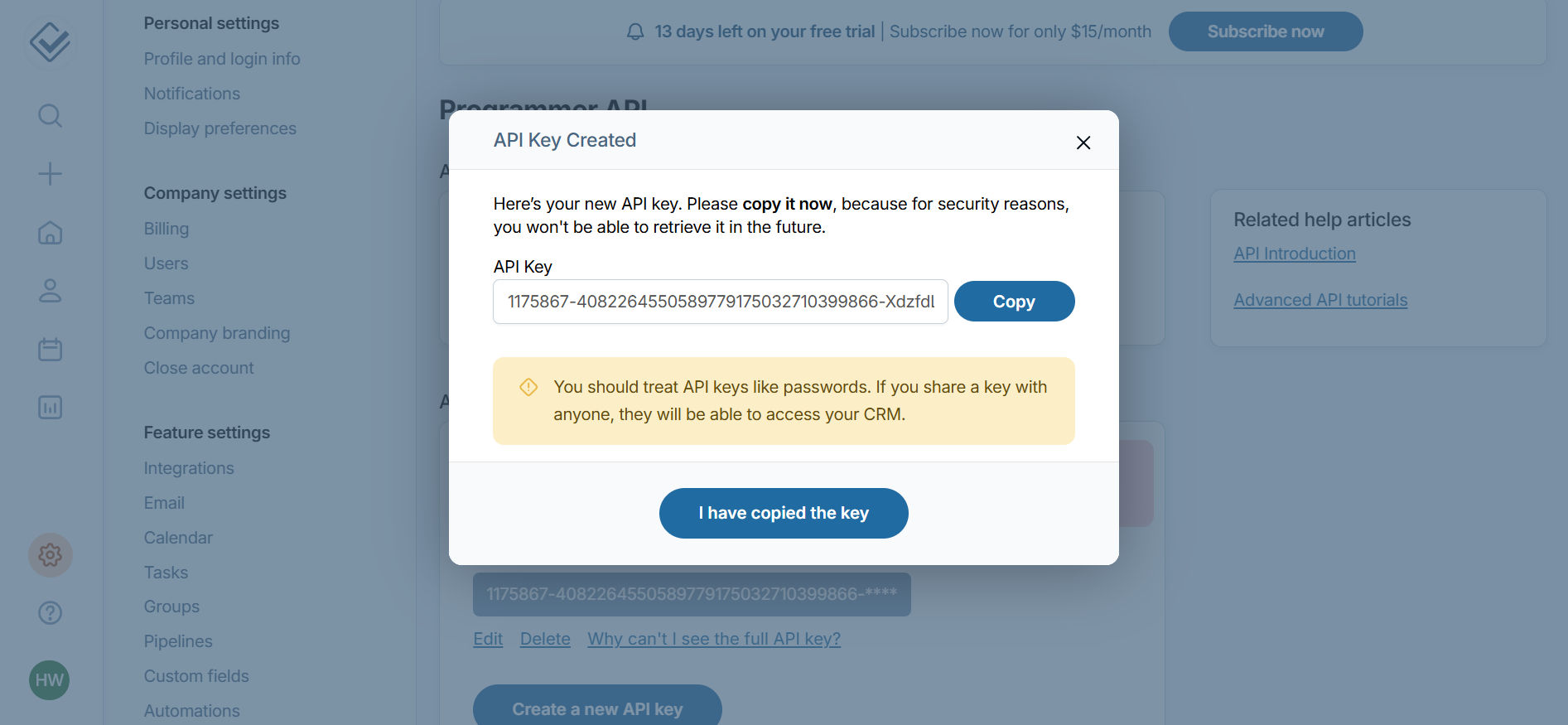
Step 1
Generate API Key in LessAnnoyingCRM
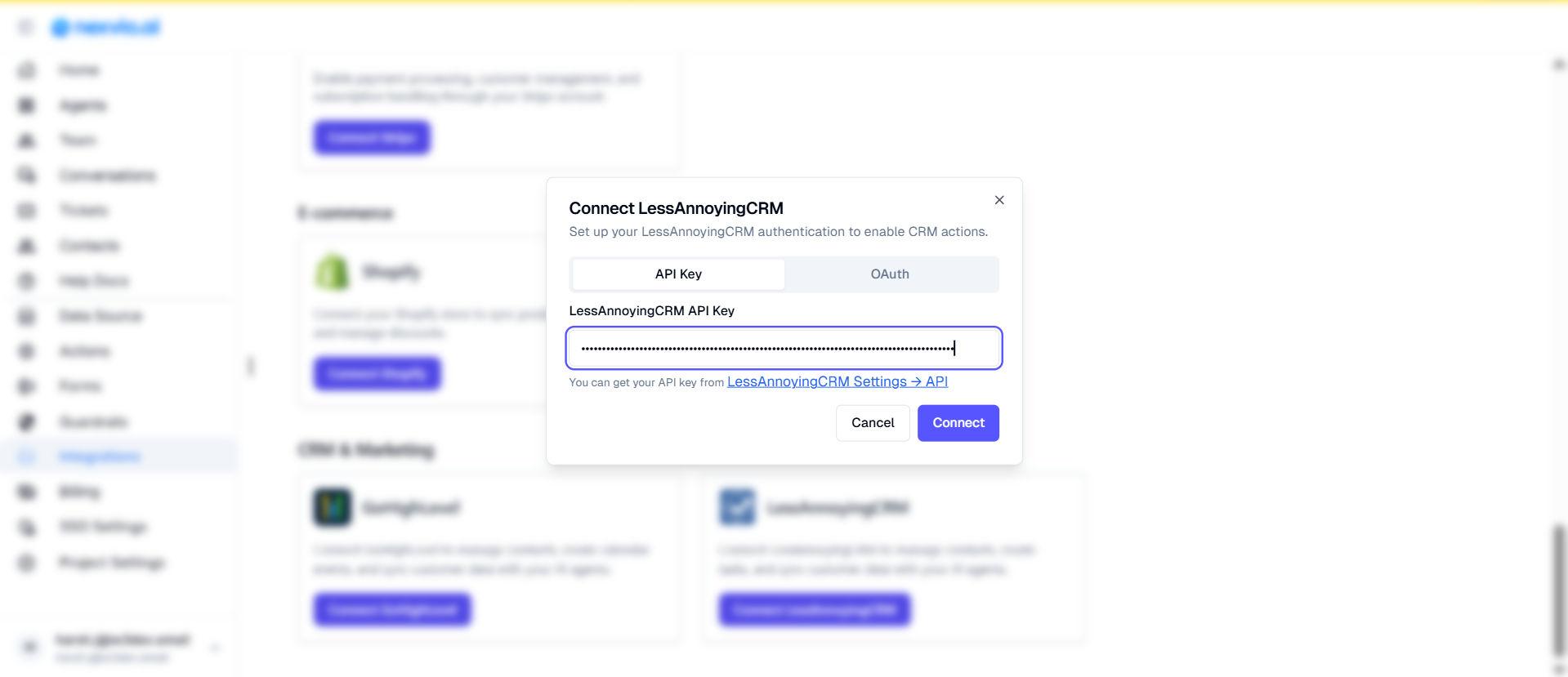
Step 2
Connect LessAnnoyingCRM to Nexvio
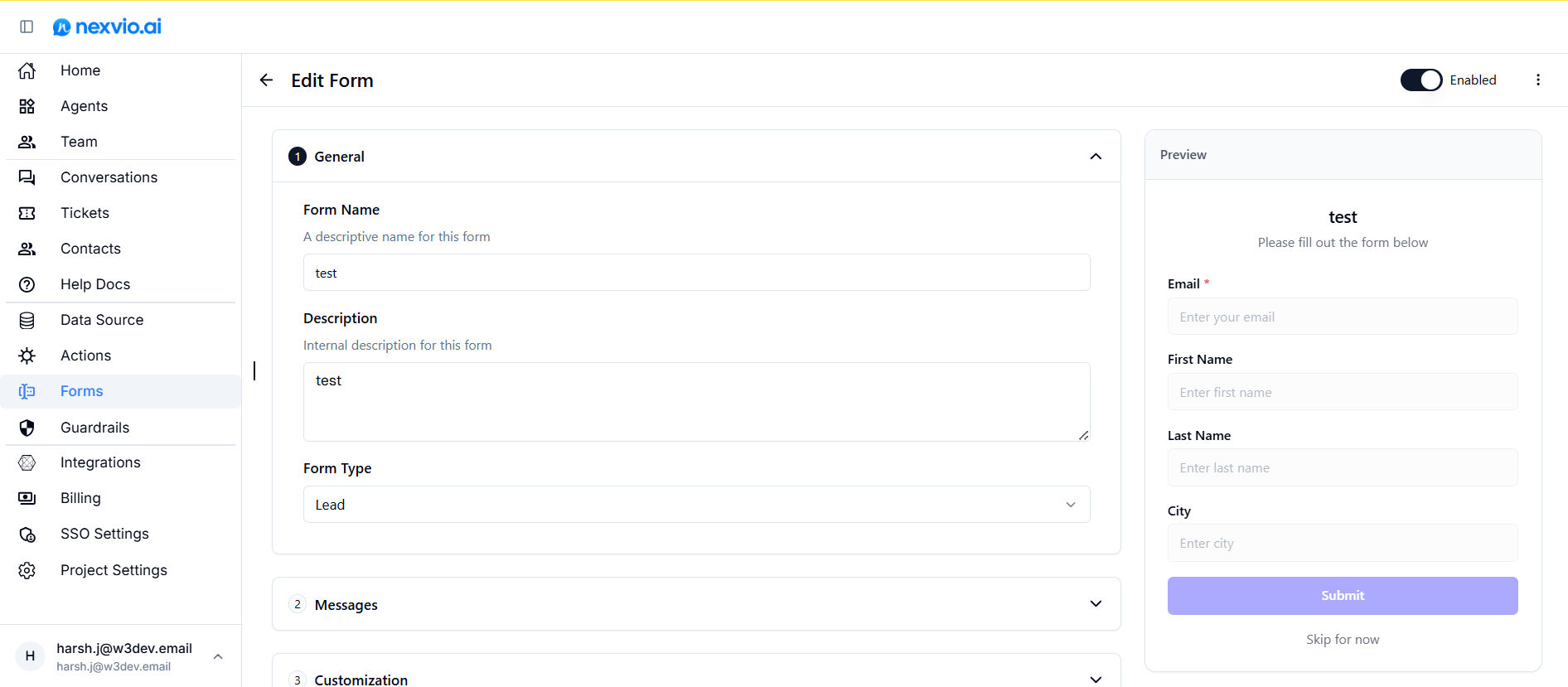
Step 3
Create a Contact Form in Nexvio
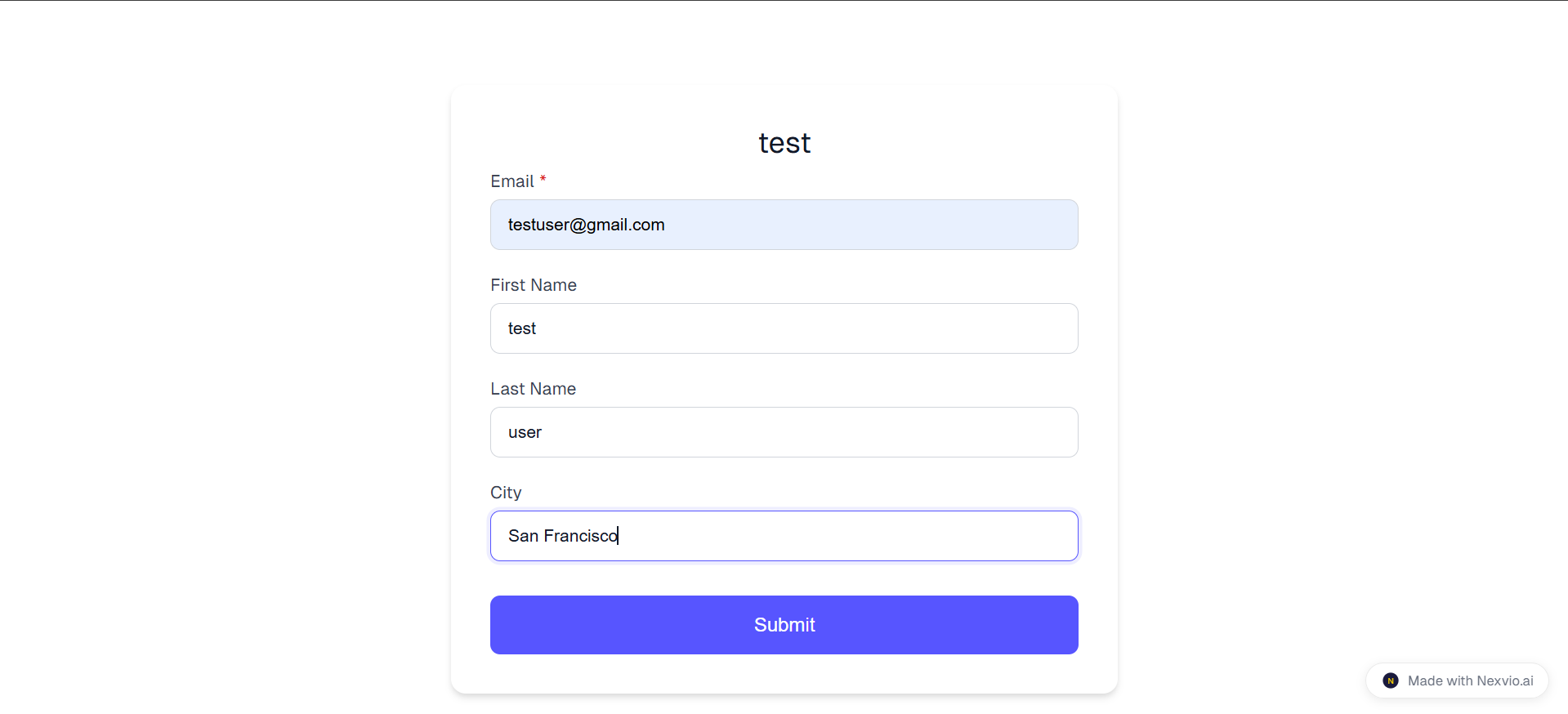
Step 4
Publish & Share Your Form
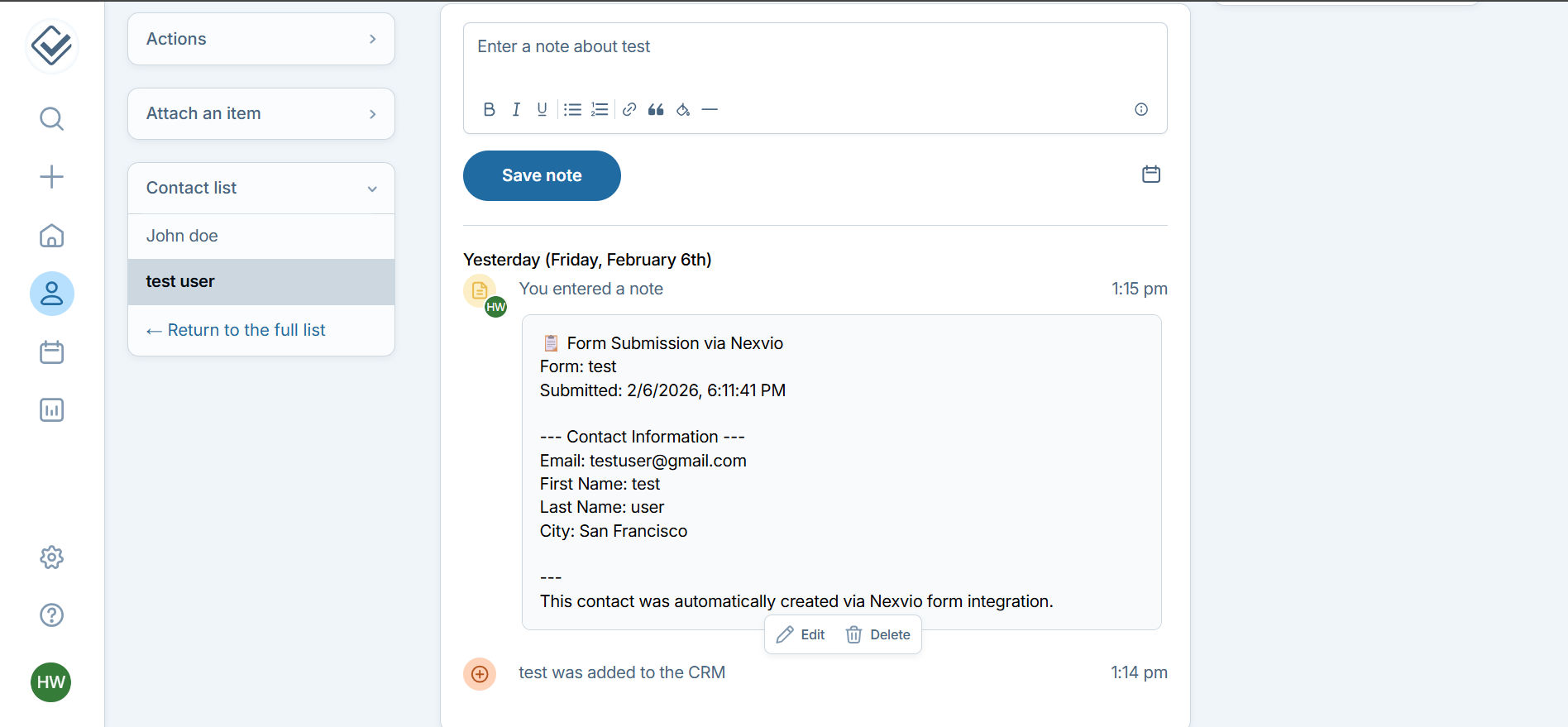
Step 5
Contacts Sync Automatically
Why Teams Choose NexvioAI for Less Annoying CRM
Auto-Create Contacts
Automatically create or update CRM contacts from form submissions without manual data entry.
Real-Time Sync
Form data syncs instantly to your CRM the moment a visitor submits your form.
Detailed Notes
Each form submission is added as a timestamped note in the contact record with all form details.
Form leads now land in our CRM with a note—no copy-paste, no missed follow-ups. We closed 30% more leads in the first month.
Jamie Chen
Sales Operations, GrowthCo
Ready to connect Less Annoying CRM?
Connect your account to start syncing form submissions to your CRM automatically.